BHCHP Application Portal
An application portal for Boston Healthcare for the Homeless Program (BHCHP) to better track their volunteers applications in a functional and sustainable way.
01
The Challenge
Every hour staff spent chasing lost emails requests was an hour not spent on the community they serve.
As a nonprofit, Boston Health Care for the Homeless Program (BHCHP) depends heavily on volunteers, but its recruitment process was built stricly through email chains, placing the weight on a signle employee. Slow and disjointed for applicants and administrators alike, they came to Code4Community in need of a centralized volunteer application portal.
02
Discovery & Insights
Starting from Scratch
Coming in as design lead on a brand new project meant the first decisions were structural, not visual. I set up a design system (color tokens, type scale, component states) so engineers had something stable to build on, and future contributors across semesters wouldn't break it.
Balancing Three User Types
Student learners needed one place to apply and track status. Discipline admins needed a queue scoped to their own discipline. Higher-level admins needed visibility across all of them, to catch delays early. Mapping who needed to see what shaped the dashboard and permissions before any visual design started.
Non-Technical Client Communication
BHCHP staff described their process in spreadsheets and email chains, not product terms. Interviews meant translating that into requirements, without letting a feature request in just because it sounded useful. Walking through early flows with them, against their actual weekly process, separated real needs from assumptions.
03
Design Process
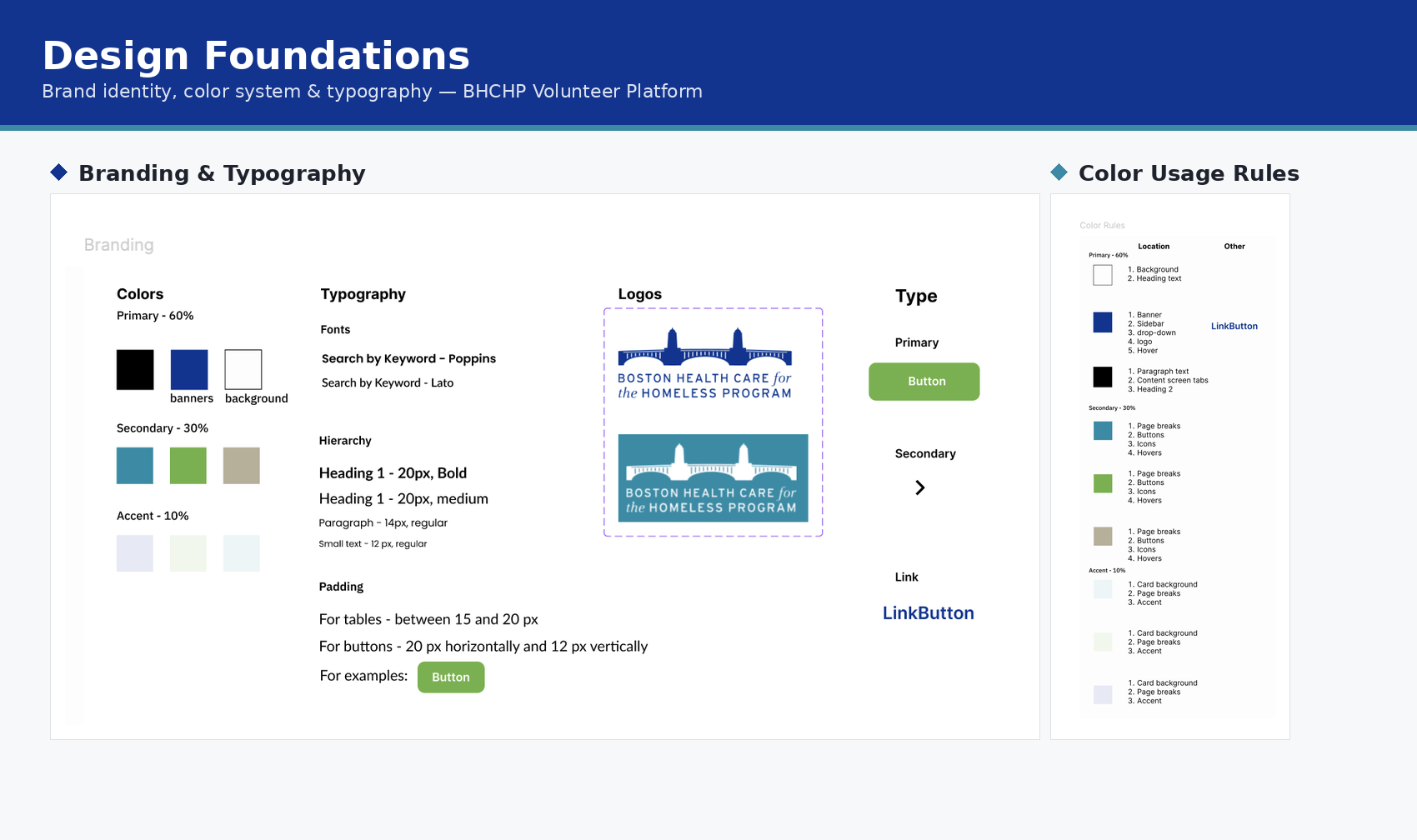
Design Foundations
Brand colors on a 60/30/10 rule, a Poppins/Lato type scale, and logo lockups, so nothing downstream needed a one-off decision.
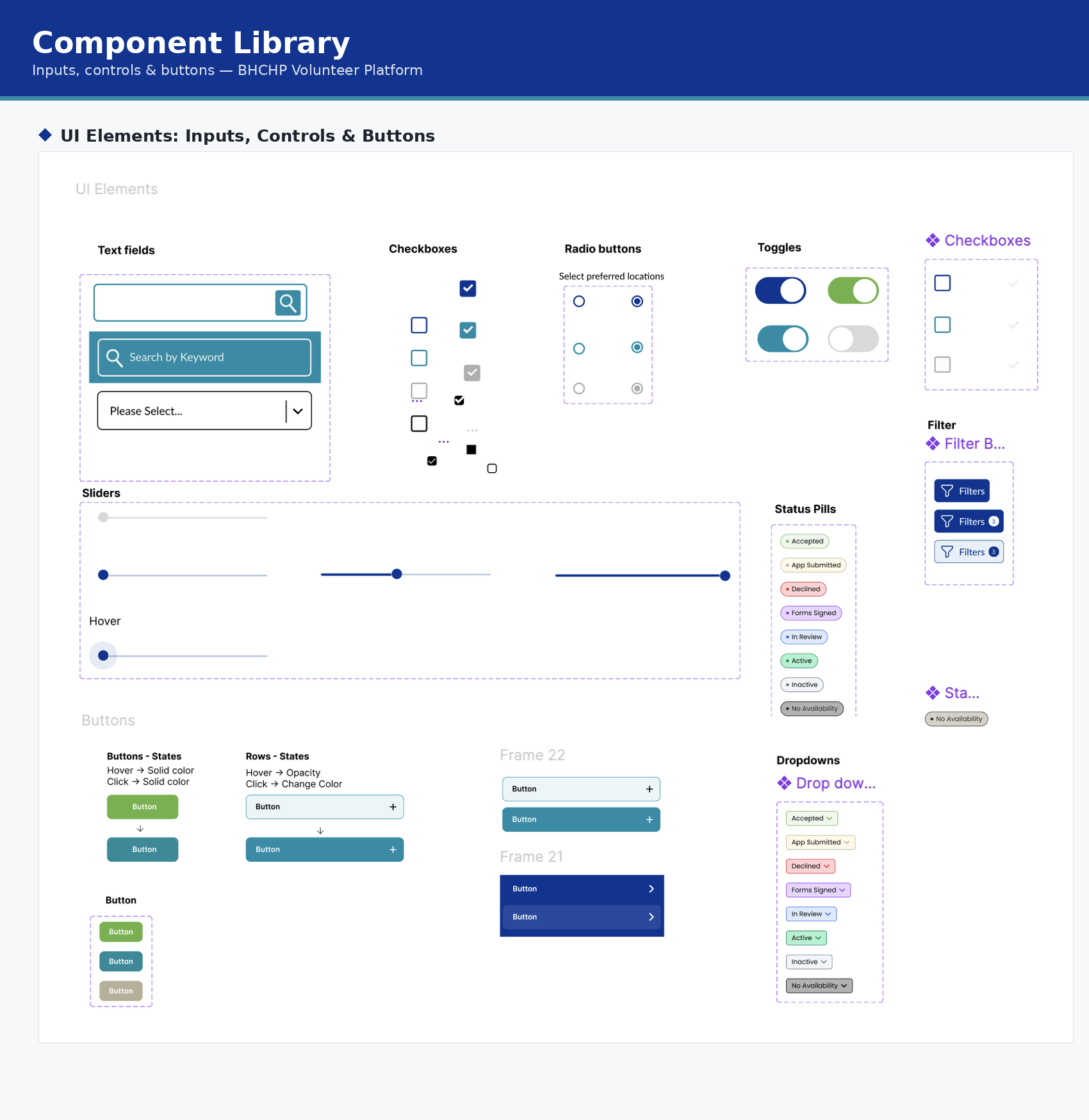
Component Library: Inputs & Controls
Every input, checkbox, toggle, status pill, and button state defined once, so admin and applicant screens stay consistent.
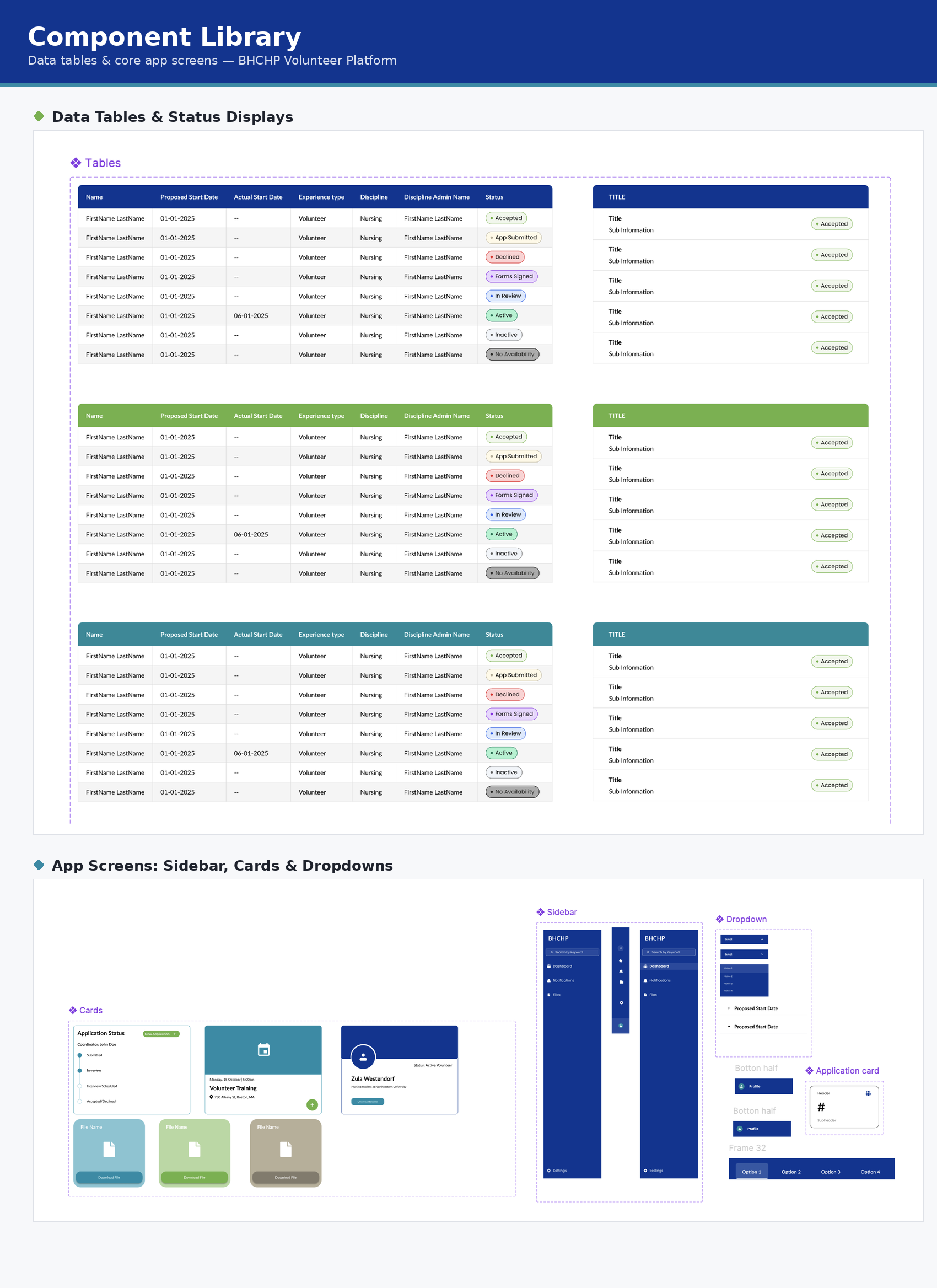
Component Library: Tables & Screens
Data tables, cards, sidebar nav, and dropdowns for the admin dashboard, reused wherever the two experiences overlap.
04
The Solution
Admin View
Application management, status updates, and create admin flow.
05
Impact & Results
100%
of design system components implemented before dev handoff.
25
tickets delegated to product designers and shipped.
8
beta testers walked through the admin and applicant flows, giving positive feedback to the features.
06
Reflections
Leading Without Doing It All
Leading a team through a project like this meant a different kind of ownership than doing the design myself. I had to decide what to hand off to other designers and what needed my judgment directly, then trust that handoff without micromanaging it. I also had to trust the client to understand what they want and make decisions in their best interest. Some of the best fixes in this project (the color hierarchy cleanup, the accessibility passes) came from other designers working inside the system I set up, not from me. That's the actual test of a design system: whether someone else can extend it correctly without asking you first. I also had to get comfortable with the system changing under me. Decisions I made early got revisited and improved by teammates later, and treating that as the system working rather than a mark against me was its own adjustment.